

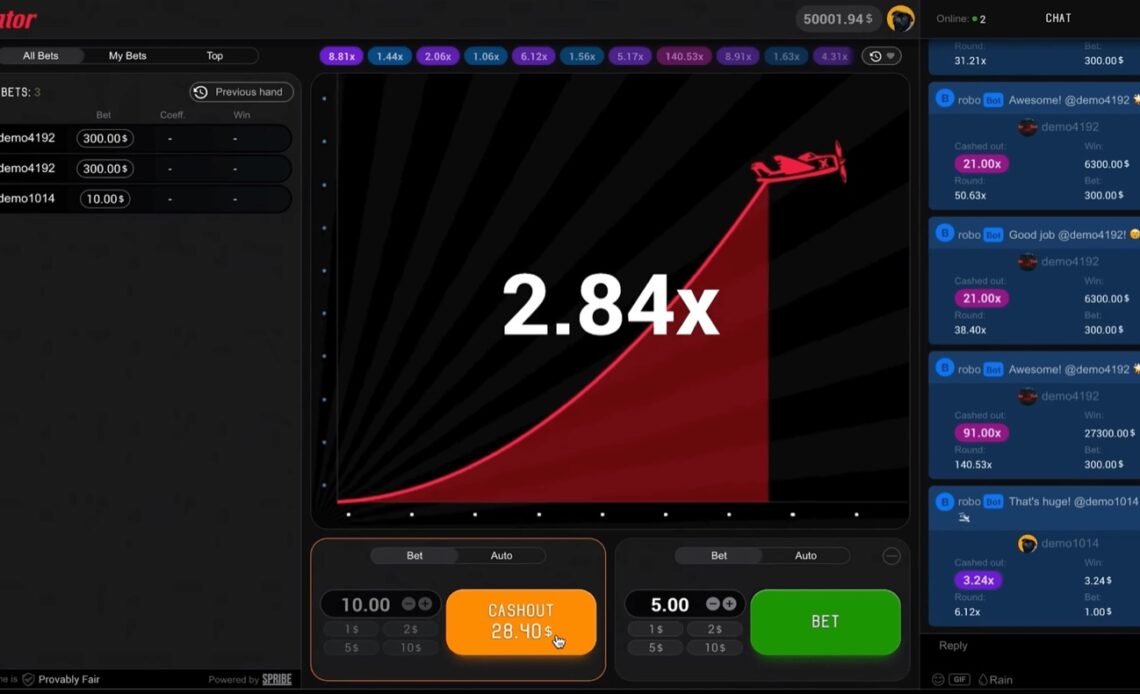
Aviator gives you a simple practice task: watch 20 rounds, choose cash-out points before take-off, and record what happens. The drill uses the demo mode, so the exercise focuses on decisions rather than money.
Write down each multiplier. Mark whether a planned cash-out would have arrived before the crash. Then compare your plan with the result. This process does not predict the next round. It shows how quickly a short sequence can change your record.
Set Up The 20 Rounds
Aviator offers a demo mode that needs no registration. The demo works in desktop, tablet and mobile browsers.
Each round lasts about 8 to 30 seconds. The game usually runs at 60 to 90 rounds per hour, with a few seconds between rounds.
Open the demo and prepare a blank record before starting. Do not enter a stake. The purpose is to practise a repeatable routine with no-money learning.
- Number the rows from 1 to 20.
- Watch the round history at the top of the interface.
- Choose one planned cash-out target before each round begins.
- Record the final multiplier after the crash.
- Mark whether the target was reached.
Use one target for the first ten rounds. Use a different target for the next ten. For example, select 1.5x for rounds 1 to 10 and 2x for rounds 11 to 20. This does not create a better method. It creates two sets of results that you can compare.
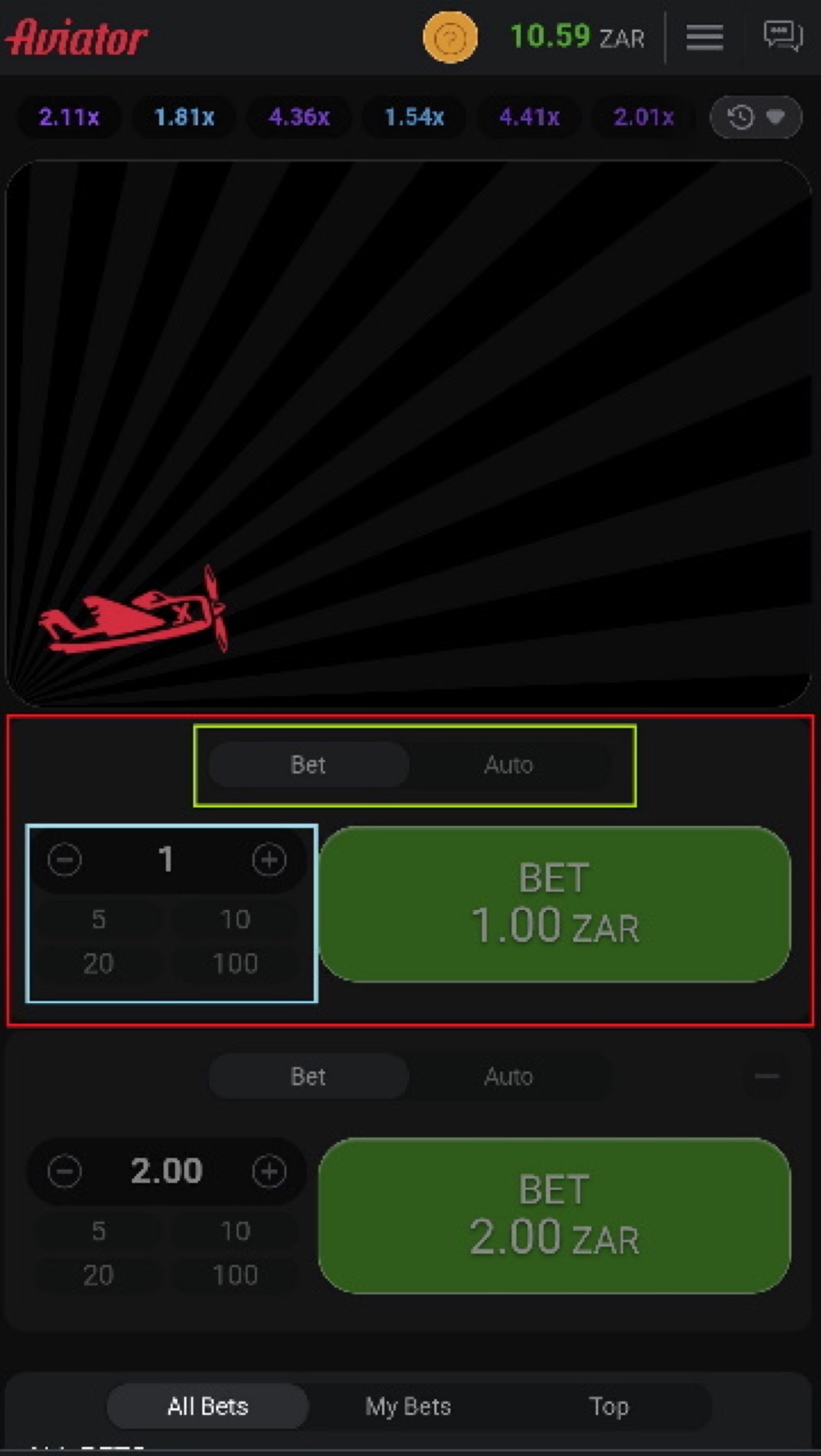
Aviator mobile view for recording a demo round without a stake.
A 1.5x target has a listed reach probability of 64.7%. A 2x target has a listed reach probability of 48.5%. Those figures describe individual rounds, not a promise about your 20-round sample.
- Keep the target fixed during each ten-round block.
- Do not change the target after a low multiplier.
- Do not raise a target after several higher multipliers.
- Write the result down before starting the next round.
Choose Cash-Out Rules
Aviator gives each round two bet panels with separate cash-outs. The Auto Cash-Out control accepts a preset multiplier.
Aviator also provides Bet and Auto tabs. Auto Bet and Auto Play can cover 10 to 100 rounds and can include stop-on-win or stop-on-loss settings.
For this drill, manual observation is more useful than automation. Decide what you would do, then check the result. The exercise separates a rule made before the round from a reaction made after the crash.
Use this simple rule for every row: “If the multiplier reaches my target, I count a planned cash-out; if it crashes first, I count a miss.” A result at 1.49x is a miss for a 1.5x target. A result at 2.01x is a reach for a 2x target.
| Target | Listed reach probability | Use in the drill |
|---|---|---|
| 1.2x | 80.8% | Compare with a low target |
| 1.5x | 64.7% | Use for rounds 1 to 10 |
| 2x | 48.5% | Use for rounds 11 to 20 |
| 3x | 32.3% | Review as a higher target |
| 5x | 19.4% | Review as a long target |
The table gives the listed probability that a round reaches each multiplier. It does not say how many successes must appear in your 20 rows. A short sample can differ from the listed probability.
Record two counts for each target: reaches and misses. Then calculate the reach percentage by dividing reaches by ten. Keep the calculation descriptive. It is not a prediction tool.
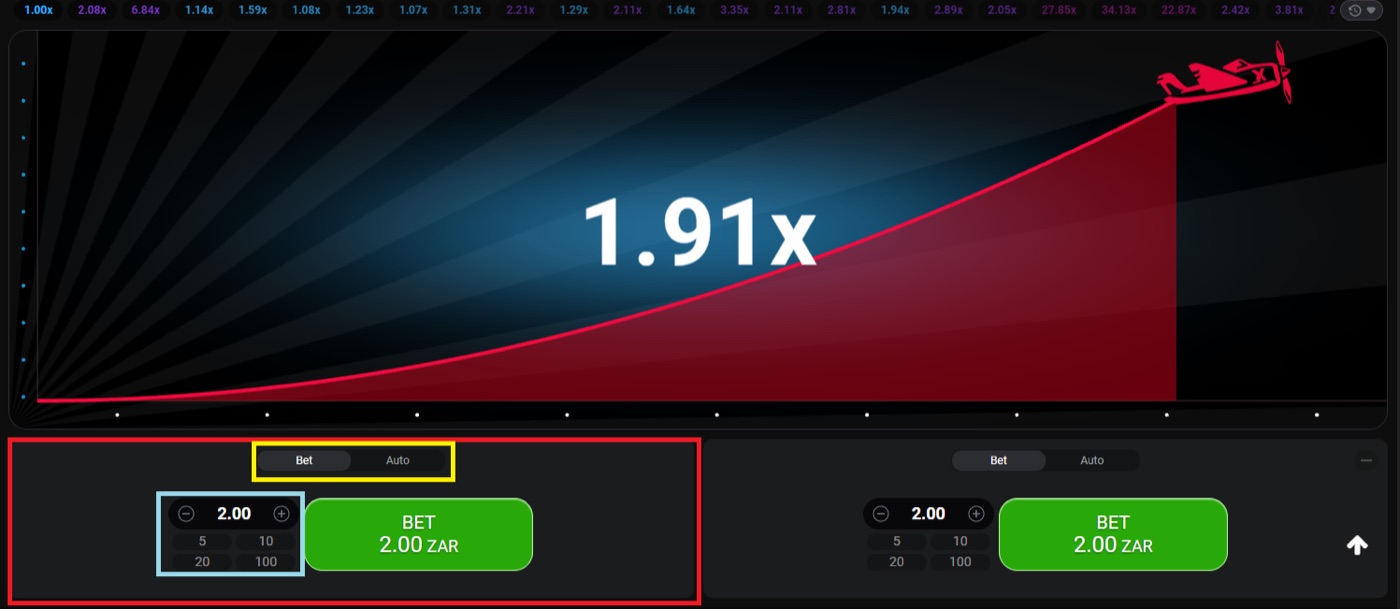
The desktop round shows a 1.91x multiplier and two separate bet panels.
Cash-out timing matters in the live game. The cash-out request must reach the server before the crash, and a time-out can come from latency or a slow device. The demo drill can reveal whether your planned action is clear, but it cannot reproduce every connection condition.
For a gambling session, set a loss limit before staking and stop when it is reached. The 20-round exercise itself uses no stake.
Track Every Outcome
The round history records previous multipliers at the top of the Aviator interface. The live bets panel shows All Bets, My Bets and Top views.
The game also displays a Provably Fair badge. Before each round, the server publishes a SHA-256 hash of the server seed and combines it with client seeds.
Build a record that distinguishes the observed result from your planned action. The following fields are enough for the drill:
- Round number.
- Final multiplier.
- Chosen target.
- Reached or missed.
- Reason for any changed decision.
Add the final field only when you break your rule. Write “changed after 1.00x” or “looked at previous result” rather than inventing a reason. Plain notes make the review more useful.
About 3% of rounds crash instantly at 1.00x, which is roughly 1 in 33 rounds. Your 20-round drill may contain none, one or more such results. The sample does not need to match that approximate rate.
- Count results below 1.5x.
- Count results at or above 1.5x.
- Count results below 2x.
- Count results at or above 2x.
- Compare those counts with your chosen targets.
Do not turn a sequence into a pattern claim. Rounds are independent. A low multiplier does not make a higher multiplier due, and a long result does not make an immediate crash due.
The fairness system fixes the crash point before take-off. After the round, the inputs can be checked with the verification tool inside the game. Neither the operator nor Spribe can change a result after the round starts.
That process answers a fairness question, not a prediction question. A hash can support later verification. It cannot reveal a future crash point before the relevant inputs are revealed.
Review The Interface
Aviator provides two bet panels in one round. Each panel can use a separate cash-out.
The interface includes in-game chat, live bets and previous multipliers. These displays show activity and history, not a forecast of the next crash.
Use the interface as a checklist during the drill. First identify the current multiplier. Next confirm the target you wrote down. Then wait for the crash and record the result.
- Check the Bet or Auto tab before the round.
- Identify the Auto Cash-Out setting if one is displayed.
- Ignore live-bet amounts when judging your own target.
- Use the round history only for recording previous results.
- Verify the row after the crash.
The live bets panel can show All Bets, My Bets and Top categories with daily, monthly and all-time wins. Those categories may attract attention, but they do not change the probability of your round.
The chat can also carry operator announcements. Aviator includes Rain Promo, where free bets can be dropped into chat and claimed by the first players to tap “claim”. Free Bets can also be granted by operators individually, in batches or by API. These features are outside this no-money drill.
If you search for a crash game multiplier or cash-out discussion, you may see a spribe aviator login mentioned beside bookmaker gambling content. Treat that as separate from the demo exercise and do not use an external page to change your recorded rule.
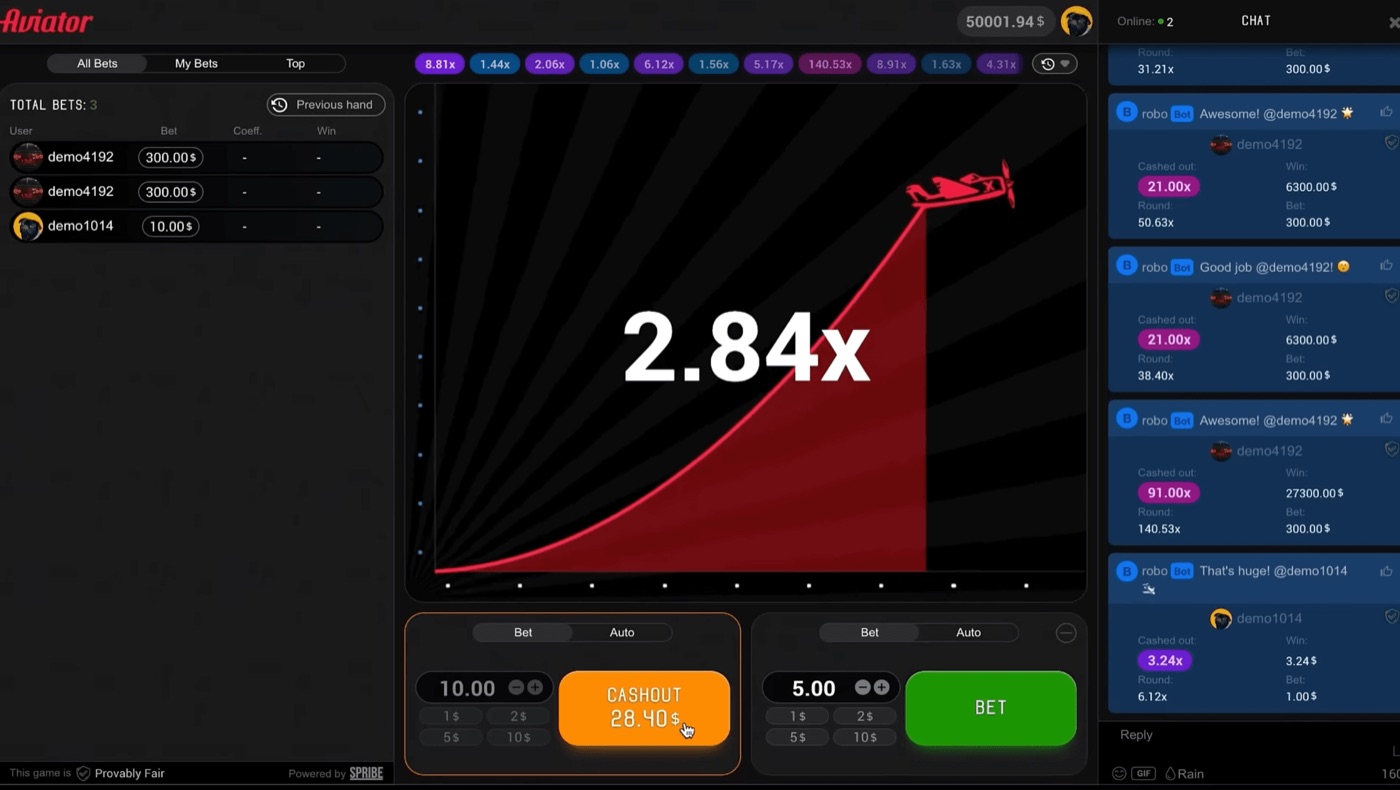
The full interface includes live bets, chat and a cash-out shown at 28.40.
Aviator is a crash game, not a slot. It has no bonus round. Its interface can look busy, but the drill needs only the target, the multiplier and the outcome.
Spot Common Errors
Aviator lists RTP at 97% and house edge at 3%. The expected value is -3% of the stake at every cash-out target.
Aviator is a high-variance game. A cash-out strategy changes variance, but it does not change the 3% edge.
That distinction matters when you review the 20 rows. A target can reach often and still produce a negative expected value when money is involved. The demo record measures rule-following, not a route around the house edge.
Do not use a loss to justify a larger next stake. Martingale doubles the stake after each loss and reaches 1,024x the base stake after 10 losses. Guides also name Fibonacci and D’Alembert systems, but neither beats the 3% edge.
- Do not double a notional stake after a miss.
- Do not treat three high results as a signal.
- Do not treat three low results as a signal.
- Do not call a missed target a device error without evidence.
- Do not use a predictor or signal bot as part of the record.
Prediction is impossible because the crash point is committed by hash before the round. Telegram signal bots resell public maths, and apps labelled Aviator Predictor are third-party products rather than a Spribe prediction system.
There is no standalone official Aviator app from Spribe. The game runs inside a licensed operator’s website or app, while third-party clone apps may show virtual coins, no-real-value disclaimers or advertising.
End the drill by writing three notes: which target you followed, how often you changed it, and what you learned about waiting for the next result. Do not use the notes to claim that the next round has a pattern.
Aviator FAQ
Spribe launched Aviator in early 2019. The first live launch took place on Adjarabet in February 2019.
Aviator uses a rising curve that can crash at any time. The game supports demo play, so the questions below can be tested without staking money.
Can I play Aviator for free?
Yes. Aviator has a demo mode that needs no registration. Use it for the 20-round drill and record outcomes without placing a stake.
Can an app predict Aviator?
No. The crash point is fixed before take-off through the provably fair process. A predictor cannot know the future result from previous multipliers.
What should I record in 20 rounds?
Record the round number, final multiplier, planned cash-out target, reached or missed status, and any change you made to the rule.
Does 1.5x always win more often?
No. The listed probability of reaching 1.5x is 64.7% for an individual round. Your 20-round sample can produce a different percentage.
Why can a cash-out time out?
The cash-out request must reach the server before the crash. Guides associate time-outs with latency or a slow device, so a late request may not complete.
Does a cash-out system remove the house edge?
No. Aviator lists a 97% RTP and a 3% house edge. The expected value remains -3% of the stake at every cash-out target.

